Whiteboard, Excel, phone—that’s still how schedules are created in many places. It works until a technician is unavailable or a customer reschedules an appointment: Then the rescheduling starts all over again. The visual scheduler in Bonder days, weeks, and months at a glance—and every change is immediately communicated to everyone it affects.
Scheduling is not simply about managing appointments; it’s about managing resources in a constantly changing environment. A scheduler juggles qualifications, travel times, material availability, customer commitments, and response deadlines—all at the same time. The fewer tools they have at their disposal, the more they have to keep track of in their head.
That’s exactly where the typical friction losses occur: the technician who drives across town twice because no one checked the order. The service call for which a replacement part is missing. The call to the customer announcing a rescheduling that never makes it into the schedule.
- Why Manual Planning Breaks Down Once a Certain Size Is Reached
- The Visual Scheduler: From Daily to Monthly at a Glance
- Map View: See Paths Instead of Estimating Them
- Real-time Instead of a Callback
- From Ticket to Deployment—Without Changing Systems
- The Measurable Benefits of Digital Resource Planning
- Frequently Asked Questions
- Conclusion
Why Manual Planning Breaks Down Once a Certain Size Is Reached
With three technicians and a handful of calls per day, the schedule is easy to grasp at a glance, and changes can be made with a quick shout. The problem doesn't stem from the number of calls, but from the number of dependencies.
Every rescheduled appointment triggers a chain reaction. If a morning assignment runs longer, the afternoon schedule shifts—and with it, travel time, the arrival time at the next customer’s location, and possibly a promised response time. Manually, this chain of events can only be tracked by someone calculating it in their head. That’s exactly what doesn’t happen on a hectic day.
On top of that, there’s a second problem: The schedule on the wall is only as up-to-date as the last phone call. What the technician encounters on the road doesn’t appear there until he calls—and the technician doesn’t find out about changes made by the dispatcher until he calls back. There’s a blind spot between the two that persists throughout the day.
The Visual Scheduler: From Daily to Monthly at a Glance
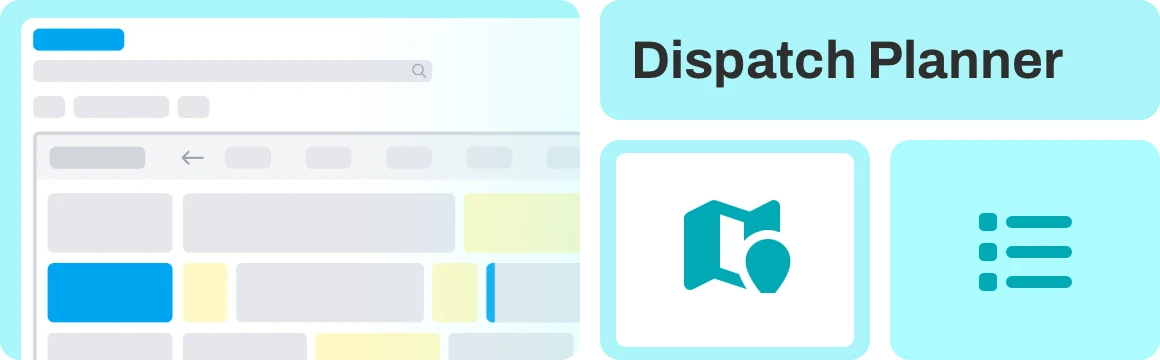
The scheduling tool in Bonder out the service day exactly as it actually unfolds—not just as a list of appointments. It accounts for setup times, travel times, work hours, and breaks—in other words, the time components that are simply missing from traditional calendars and therefore regularly cause schedules to run over.
Equally important is the ability to zoom out: The planner displays individual days as well as entire weeks and months. This allows it to answer two very different questions within the same tool—the short-term one (“Who’s covering the emergency this afternoon?”) and the strategic one (“Do we even have the capacity for the maintenance wave in November?”). Those who see only the day plan reactively; those who see the month can identify bottlenecks while there’s still time to reschedule them.
Assignments are made via drag-and-drop: Tasks can be assigned to a technician, moved, and adjusted without having to retype a single line anywhere. If someone is unavailable, their tasks are redistributed to others—visibly, in just a few steps, with immediate feedback on how this affects the rest of the team.
AI-powered route planning assists in organizing the tours. It suggests sequences that minimize travel time and conserve resources—as a suggestion, not a requirement. The decision rests with the dispatcher, who understands the context that no algorithm can see: the customer who’s never available in the morning, or the technician who’s Installations familiar with this Installations .
Get the Most Out of Your Overdraft
Experience in a personalized demo how the visual scheduling tool uses drag-and-drop to plan setup, travel, and break times, optimizes routes using AI, and communicates every change to field staff in real time.
Map View: See Paths Instead of Estimating Them
A timeline shows when something happens—but not where. That’s exactly why the map view adds a second dimension to the planner—one that determines the course of a field service representative’s day: geography.
All service locations, routes, and trips are displayed from a bird's-eye view, including suggested routes and relevant additional information. Colors and icons are used to categorize service locations and trips, making it easy to see at a glance which technician is on the road in which region.
The practical benefit is immediately apparent: overlapping routes, unnecessary backtracking, or an assignment that would be much better suited to another technician stand out clearly on the map—whereas they remain invisible in a spreadsheet. If an urgent case comes up, the question “Who is closest?” is no longer a matter of guesswork.

Real-time Instead of a Callback
A plan is only as good as its distribution. That’s why all changes made in the dispatch planner are synchronized with the back office in real time and are immediately available in the Smart Service App. If the dispatcher reschedules an appointment, the technician sees the new schedule on their device—no phone call, no follow-up, and no uncertainty about whether the information was received.
This works both ways. Back-office staff communicate directly with field staff from within the scheduling system, exchange information, and coordinate tasks. The schedule thus transforms from a static document into a shared workspace.
And because the Smart Service App is Smart Service App work offline, it doesn’t stop working when the technician is in a customer’s basement. Service data and checklists remain available, and everything recorded on-site is synchronized as soon as a connection is reestablished.
From Ticket to Deployment—Without Changing Systems
The most common disconnect in service processes occurs between the system where a request is received and the system where the assignment is scheduled. Anyone using two separate tools here has to transfer data manually—and is bound to lose context in the process.
The dispatch planner is therefore deeply integrated with the Bonder and job scheduling. A ticket is automatically converted into a scheduled assignment, complete with all the necessary details: customer history, equipment data, and fault description. When the technician arrives on site, they don’t just see a blank appointment entry—they see the complete case.
Conversely, the data generated during an assignment flows back: recorded working hours, travel time, and setup time are sent back to the back office via the time-tracking system—serving as the basis for accurate billing and for planning that allows for more realistic calculations next time.
The Measurable Benefits of Digital Resource Planning
The impact can be quantified. Companies that use field service management software achieve a first-time resolution rate of up to 89%—compared to 56% for manual processes. This means significantly fewer return visits, and every return visit avoided yields a double benefit: cost savings and increased customer satisfaction.
Studies show that smart scheduling leads to an average 29% increase in productivity. Savings in service operations range from 14% to 18%, with the greatest impact coming from travel: optimized route planning reduces travel time by 25% to 35%, and administrative overhead decreases by about 21%.
These figures do not describe an isolated case, but rather a pattern: The majority of losses in the field do not occur while working on the equipment, but between assignments. That is precisely where good planning comes into play.
Frequently Asked Questions
Conclusion
Scheduling rarely fails because of a lack of goodwill, but rather because of the tools used. A whiteboard can’t do math, an Excel spreadsheet doesn’t account for travel times, and a phone call can only reach one person at a time. As soon as multiple technicians, multiple regions, and multiple commitments come into play simultaneously, you need an interface that shows the entire scheduling period—from this afternoon to two months from now.
The scheduling tool in Bonder all of this: visual planning of setup, travel, work, and break times across days, weeks, and months; a map view that shows routes; AI-powered route suggestions; and a real-time connection to field staff—all integrated into the ticketing system and order planning. You’re in charge of planning. The system takes care of the tracking.
Why You Should Bonder
If your scheduling process currently involves more phone calls than clicks, Bonder is Bonder next logical step.
Schedule a free 30-minute demo session now and see how the scheduling tool works in your actual day-to-day planning.
- How to Plan Setup Times, Travel Times, Work Hours, and Breaks Using Drag & Drop
- How to Switch Between Daily, Weekly, and Monthly Views—From Today’s Emergencies to Quarterly Capacity
- How the map view displays tours, trails, and suggested routes
- How Changes Are Communicated to Field Staff in Real Time—Even Offline
- How a ticket without a system change turns into a scheduled assignment